
Factions
Factions & Territory
Build a banner, recruit allies, claim land, and defend the borders of your guild.
Overview
How factions shape the world.
Core loop
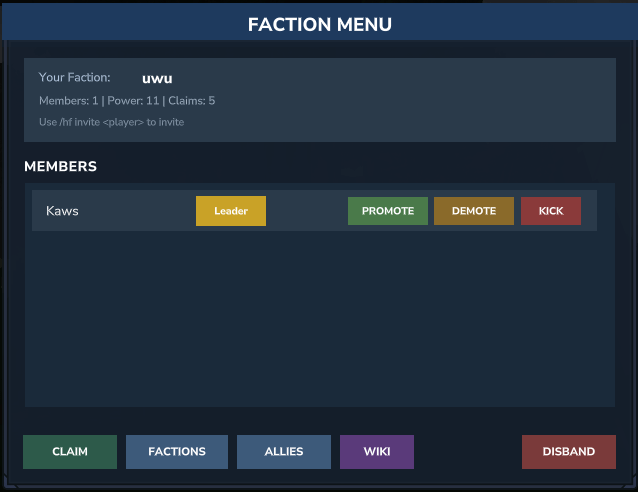
Create a faction, invite members, set a home, and claim territory. Diplomacy matters: allies and enemies are tracked, and wars define the political map.
- Claimed land becomes a strategic asset for your guild.
- Faction chat keeps coordination private during combat.
- Homes and borders make travel and defense meaningful.
Social layers
Voice chat and faction channels turn raids into real coordination. Stay in proximity for immersion or use radio-style comms when the battlefield spreads.
Commands
Essential faction commands.
| Command | Description |
|---|---|
/f create <name> |
Create a new faction. |
/f invite <player> |
Invite a player to your faction. |
/f add <player> |
Add a player directly (leaders/officers). |
/f kick <player> |
Remove a member from your faction. |
/f claim |
Claim the chunk you are standing on. |
/f unclaim |
Remove a claim from your faction. |
/f map |
Show nearby claims on the faction map. |
/f ally <faction> |
Declare another faction as an ally. |
/f enemy <faction> |
Declare another faction as an enemy. |
/f neutral <faction> |
Return to neutral diplomacy. |
/f chat |
Switch between global, faction, and ally chat. |
/voicechat <code> |
Link your voice account to enable proximity voice. |
Some commands are permission-based. Officers may have access to economy, diplomacy, and management tools.